Stop chasing missing nodes and broken cloud models.
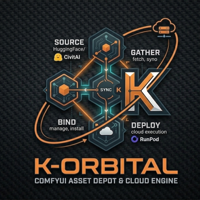
K-ORBITAL K-ORBITAL
v1.5 · macOS · Free to start

The Ultimate Asset & Deployment Engine for ComfyUI.

Centralize models and custom nodes from any source. Sync to RunPod, manage disk space, and execute workflows seamlessly. From source to render, anywhere.

aria2c + hf_transfer
RunPod cloud engine
Persistent queue
K-ORBITAL — ComfyUI Asset Depot
K-ORBITAL
⬇ URL
🤗 HuggingFace
🎨 Civitai
🔀 GitHub
↓ 847 MB/s · 2 attivi · 3 in coda
flux1-dev.safetensors
huggingface.co / black-forest-labs
78%
↓ 612 MB/s 3.2 GB / 4.1 GB ETA 2s
SDXL-base-1.0.safetensors
civitai.com / stabilityai
31%
↓ 235 MB/s 2.1 GB / 6.5 GB ETA 19s
proteus-v0.4.safetensors
huggingface.co / dataautogpt3
waiting
4.1 GB · → checkpoints/
aria2c · 16 parallel connections
hf_transfer Rust FFI engine
RunPod 10 Gbps datacenter sync
HuggingFace · CivitAI · GitHub · Direct URL
Persistent session queue
macOS 12+ · Free to start

Asset Depot meets Cloud Engine.

Download models to your local ComfyUI — or skip the wait and push them straight to your RunPod worker volume at 10 Gbps.

Asset Depot

Your whole model library, one place.

Search HuggingFace and CivitAI without leaving the app. Queue any number of downloads in parallel. Files land in the right ComfyUI folder automatically.

Parallel downloads with aria2c (up to 16 connections per file)
hf_transfer Rust engine for HuggingFace — fastest path possible
Session queue persists across restarts
Private model tokens auto-injected server-side
Batch filter and collapsible groups
Cloud Engine

Push to RunPod. Skip the upload wait.

Connect your RunPod worker. Pull any URL directly to the pod volume at datacenter speed — no local bandwidth, no waiting. Manage your pod lifecycle from the same window.

~10 Gbps datacenter-to-datacenter transfer
Start, stop, and monitor your RunPod pod
Upload local files to the worker volume
Custom node installer for ComfyUI workers
Auto-stop on idle (configurable)

From source to render in three steps.

Whether your GPU is on your desk or in a RunPod pod — K-ORBITAL handles the model logistics end-to-end.

01 Collect

Search HuggingFace or CivitAI inside K-ORBITAL, paste any URL, or pull from GitHub releases. Auth tokens injected automatically.

HuggingFace CivitAI GitHub Direct URL
02 Organize

aria2c downloads in parallel at full bandwidth. Files land in the right ComfyUI subfolder automatically — checkpoints, loras, vae, controlnet.

checkpoints/ loras/ controlnet/ vae/
03 Deploy

Push models directly to your RunPod worker volume at 10 Gbps datacenter speed. Start the pod, load the workflow, render.

RunPod 10 Gbps Pod lifecycle

Every source. Zero friction.

If the model exists online, K-ORBITAL can fetch it. Auth tokens are added automatically.

HuggingFace
Full catalog including gated models. hf_transfer engine via Rust FFI — the fastest path available.
hf_transfer
CivitAI
Search by type, base model, and rating. API key auto-injected — no manual token handling.
API key auto
GitHub
Releases and raw file URLs. Ideal for custom nodes, embeddings, and preprocessors.
Releases
Any URL
Paste any direct link. Filename auto-detected from headers — no CDN hash filenames.
Direct link
10Gbps
RunPod datacenter transfer speed

Your GPU shouldn't wait for the model.

Pulling a 7 GB checkpoint from HuggingFace to a RunPod worker through your local machine takes 20+ minutes.

K-ORBITAL's Cloud Engine fetches it directly at datacenter speed. The URL goes to RunPod's network. Your bandwidth stays free. The model lands in the right folder in seconds.

Files land where ComfyUI expects them.

Choose the destination folder per download. K-ORBITAL knows the ComfyUI model directory structure.

1
Search or paste a URL
Find the model on HuggingFace or CivitAI inside K-ORBITAL, or paste any direct link.
2
Pick the destination
checkpoints, loras, controlnet, vae, text_encoders — or any custom path.
3
Load in ComfyUI
The file is there. No manual moves, no path fixes. Refresh the model list and run.
ComfyUI / models /
📁checkpoints
flux1-dev.safetensorsNEW
SDXL-base-1.0.safetensors
📁loras
detail-tweaker-xl.safetensorsNEW
add-detail-xl.safetensors
📁controlnet
controlnet-union-sdxl.safetensorsNEW
📁vae
ae.sft
📁text_encoders
clip_l.safetensorsNEW
t5xxl_fp8_e4m3fn.safetensorsNEW

One tool. Three ways to own it.

Start for free. Upgrade when you need the Cloud Engine.

Free
€0
forever
Full Asset Depot. Download from any source, manage your local ComfyUI model library.
Download free
HuggingFace, CivitAI, GitHub, direct URL
Parallel downloads (aria2c + hf_transfer)
Persistent queue across restarts
Download history and batch management
RunPod Cloud Engine
Datacenter-speed model transfer
🚀 Coming Soon
Lifetime plan not available yet.
Launch is coming — be the first to know.
Lifetime
€49.99
one-time payment
Buy once, own forever. Every feature, every update, no subscription. For serious ComfyUI builders.
Buy Lifetime
Everything in Pro
All future updates included
No renewal, no subscription
Priority support
Up to 2 authorized devices

Common questions.

If it's not here, send a message to [email protected].

Does K-ORBITAL work without RunPod?
Completely. The Asset Depot — downloading from HuggingFace, CivitAI, GitHub, and direct URLs — is fully local and always free. RunPod integration is optional and only available in the Pro and Lifetime plans.
Are my API tokens stored on your servers?
No. Your HuggingFace token, CivitAI API key, and RunPod API key are stored exclusively on your local machine in K-ORBITAL's settings file. They are never transmitted to Obiriec Labs servers.
Why does it need aria2c?
aria2c is a free, open-source download accelerator. It splits large files into segments and downloads them simultaneously — meaning a 7 GB model can use 16 parallel connections instead of one. Install it once with brew install aria2 and K-ORBITAL handles the rest.
Does it work with a custom ComfyUI installation path?
Yes. K-ORBITAL reads the models directory from your ComfyUI config automatically. If you use a non-standard path, you can set a custom base path in the Settings panel. Folder selection per download is always manual.
What happens if a download fails or is interrupted?
Failed or interrupted items stay in the queue with their error state. You can retry from the queue panel. The session queue persists across app restarts, so closing K-ORBITAL mid-download is safe — it picks up where it left off.
Is Windows supported?
macOS 12+ is the primary supported platform. A Windows build is on the roadmap. If you're interested, join the waitlist in the pricing section — Windows users will be notified at launch.

Stop managing files.
Start running workflows.

K-ORBITAL handles the logistics. Your GPU handles the generation.

requires macOS 12+ · aria2c via Homebrew · Windows coming soon